software for construction projects

Top Software for Commercial Construction Projects

For your commercial construction projects, you'll want to consider top software options like Procore, known for its real-time data and ease of document management, and Autodesk BIM 360, which enhances stakeholder collaboration and safety with predictive analytics. CoConstruct offers a customizable platform while seamlessly integrating with accounting software. PlanGrid excels in blueprint management, significantly improving on-site documentation and collaboration. Buildertrend brings comprehensive tools for streamlined project phases, including detailed budgeting and client proposals. Exploring these solutions will help you discover which software best fits your specific project needs and improves your management efficiency.

Key Features of Procore

While Procore is tailored for streamlining construction management, its key features significantly enhance project efficiency and communication. You'll find that its real-time data access allows project teams to make informed decisions quickly. No more waiting for updates or sifting through outdated reports. Everything's current, from budgets to schedules, ensuring you're always on the ball.

You'll also appreciate Procore's document management system. Imagine having all your project documents stored in one secure, easily accessible place. You can upload, share, and edit documents without the fear of losing vital information. This reduces errors and saves time, which is crucial on any job site.

Moreover, Procore's user interface is designed with you in mind. It's intuitive, making it easy for everyone on your team, regardless of their tech savviness, to adapt quickly and use the software effectively. This smooth integration into daily operations cuts down on training time and accelerates your project's progress.

Lastly, the mobile app keeps you connected even when you're on the move. Whether you're on site or miles away, you can access project data, communicate with team members, and manage tasks from your smartphone. This flexibility ensures that you stay informed and responsive at all times.

Benefits of Autodesk BIM 360

After exploring the impressive capabilities of Procore, let's look at another powerful tool in the construction management arsenal: Autodesk BIM 360. You'll find that this software significantly boosts your project efficiency and reduces errors on site.

Firstly, Autodesk BIM 360 centralizes project data, ensuring you and your team access consistent, up-to-date information. Whether you're in the office or on-site, you can retrieve, share, and manage your construction documents and models in real-time. This level of integration helps prevent costly mistakes and reworks that can derail your project timeline and budget.

Moreover, BIM 360 enhances collaboration among all stakeholders. With tools that support communication and workflow coordination, you can anticipate and resolve conflicts faster than ever. It's about keeping everyone on the same page, from architects to subcontractors, ensuring that every phase of your project aligns perfectly with your set plans.

Safety is another crucial aspect where BIM 360 shines. It offers predictive analytics and risk management capabilities that help you spot potential hazards before they become actual problems. This proactive approach not only safeguards your workforce but also maintains your project's compliance with safety standards, thereby avoiding legal complications.

Exploring CoConstruct Capabilities

Exploring CoConstruct's capabilities reveals how it revolutionizes the way small to medium-sized construction firms manage their projects. You'll find that this software isn't just a tool; it's a comprehensive solution that streamlines project management from start to finish.

Imagine having client communication, project scheduling, budget management, and on-site operations all in one platform. That's what CoConstruct offers.

You can customize the software to fit your project needs. Whether it's adapting the dashboard to highlight key metrics or setting up notifications for critical milestones, CoConstruct provides flexibility that's essential in the construction industry.

This means you're not juggling multiple apps or paperwork. Everything is accessible in one place, updated in real-time, ensuring everyone on your team is on the same page.

Moreover, CoConstruct's integration features are a game changer. It seamlessly syncs with popular accounting software, like QuickBooks, which simplifies the financial aspects of your projects.

You won't have to worry about discrepancies between your project budgets and financial records.

Advantages of PlanGrid Technology

If you've been seeking a solution to enhance on-site documentation and collaboration, PlanGrid technology may be the answer. It's designed specifically for the construction field, streamlining the workflow between teams on-site and stakeholders anywhere else. With PlanGrid, you can access, update, and share blueprints and documents in real-time, ensuring everyone's on the same page—literally.

One of the standout features is its blueprint management system. You'll find that making annotations, updating drawings, and sharing revisions is dramatically simpler than traditional methods. This can lead to a significant reduction in errors and miscommunications, which are often costly in your industry.

Moreover, PlanGrid offers robust reporting tools. You can generate detailed reports with ease, providing valuable insights into project progress and resource allocation. This means you're not just working faster; you're working smarter, with data-driven strategies to back your decisions.

Lastly, it integrates seamlessly with other tools you might already use, enhancing rather than replacing your existing systems. This ease of integration facilitates a smoother transition and quicker adoption, helping you get up and running without missing a beat on your projects.

Reviewing Buildertrend Functions

In addition to PlanGrid, Buildertrend offers a suite of features tailored for managing every phase of your construction projects. You'll find that its project management tools are particularly robust, streamlining processes from pre-sales to project completion. With Buildertrend, you can easily create and manage proposals, which helps in winning bids and getting your projects off the ground quickly.

One standout feature is the daily logs. These allow you to keep a detailed record of every day's work, who was on site, and what tasks were completed. This real-time data is vital for keeping all project stakeholders informed and ensuring accountability across the board.

You'll also appreciate the financial tools integrated within Buildertrend, such as budgeting and invoicing capabilities. These features are designed to keep your project financially on track, reducing the likelihood of overruns and boosting overall profitability.

Moreover, Buildertrend's seamless communication features support constant contact among your team members, subcontractors, and clients. This ensures everyone's on the same page, which is crucial for timely and under-budget project delivery. So, if you're looking to enhance efficiency and streamline project management, Buildertrend might just be your go-to tool.

Understanding Bluebeam Revu Tools

Dive into the capabilities of Bluebeam Revu, a powerful tool designed to enhance the workflow in commercial construction projects. With its comprehensive suite of markup, collaboration, and measurement tools, you'll find managing complex projects simpler than ever. Let's break down some key features that'll streamline your tasks.

First off, you've got the markup tools. These aren't just your average annotations; they're customizable, precise, and save directly to a cloud-based project file, making collaboration seamless. Whether you're marking up architectural plans or highlighting key changes, you're equipped to communicate effectively with your team, regardless of location.

Next, consider the tool chest feature. It's a real game-changer, allowing you to save custom tools and markups. Imagine having your most-used symbols, text boxes, and scales at your fingertips—no more repetitive work. This not only speeds up your project timeline but also ensures consistency across documents.

Conclusion

You've seen how top software like Procore, Autodesk BIM 360, CoConstruct, PlanGrid, Buildertrend, and Bluebeam Revu can revolutionize your commercial construction projects. Each platform offers unique features that streamline operations, enhance communication, and boost efficiency. Whether you're coordinating large teams or handling detailed plans, these tools have got you covered. Embrace these technologies to stay ahead in the competitive construction industry, ensuring your projects are successful, on time, and within budget.

Related articles: Effective Tips for Managing Commercial Construction Projects

software for commercial construction

Ultimate Guide to Top Software for Commercial Construction

In your quest for the ultimate software for commercial construction, you'll find essential tools like Procore Financials, Buildertrend, and Jonas Premier, which are invaluable for budgeting and financial management. Platforms like Slack, Microsoft Teams, and Asana enhance communication and collaboration, ensuring everyone's aligned and efficient. For task scheduling, Microsoft Project and Smartsheet offer robust solutions to keep your project timelines sharply focused. Moreover, integrating these tools can drastically improve your operation's efficiency by aligning project management, safety protocols, and real-time analytics. The right software can transform how you manage construction projects, leading to better outcomes and streamlined processes. Let's explore what sets these tools apart.

Understanding Commercial Construction Software

Commercial construction software streamlines complex projects, making managing timelines, budgets, and collaboration simpler than ever. As you delve into the world of commercial construction, you'll find that traditional methods of project management simply don't hold up under the weight of modern demands. With the right software, however, you're equipped to handle the vast array of challenges that come with large-scale construction.

This type of software typically integrates various functions that are crucial to project success. You'll notice that it connects different teams, from architects and engineers to contractors and subcontractors, fostering seamless communication and data exchange. This integration ensures that everyone stays on the same page, crucial in avoiding costly misunderstandings and delays.

Moreover, the adaptability of commercial construction software to various project sizes and types adds a layer of versatility that can't be underestimated. Whether you're working on a high-rise or a sprawling industrial complex, the software scales to meet the complexity of the project.

This flexibility means that as your projects grow in scope or change direction, your foundational management tool remains consistent, reliable, and responsive to your needs.

Key Features of Project Management Tools

Building on the foundation of integrated and adaptable commercial construction software, let's explore the key features of project management tools that make them so effective.

First, you'll find that real-time collaboration is pivotal. These tools allow your team to communicate changes, updates, and critical information instantly, ensuring everyone's always on the same page, regardless of their location. This minimizes delays and misunderstandings, speeding up project timelines.

Next, consider the scheduling features. You're able to set, track, and manage timelines for multiple projects simultaneously. This helps in predicting potential delays and reallocating resources efficiently to adhere to deadlines.

Document management is another crucial aspect. You can store, share, and edit documents in a centralized location. This accessibility reduces the risk of losing important files and helps in maintaining a single source of truth.

Moreover, these tools often include task management capabilities, enabling you to assign tasks, set deadlines, and monitor progress. This keeps your project team focused and productive, ensuring that no task slips through the cracks.

Top Rated Software for Budget Management

Shifting focus to budget management, it's essential to select software that excels in financial tracking and forecasting. When you're overseeing commercial construction, real-time financial insights can make or break your project's success. A top-rated option you should consider is Procore Financials. It offers robust budgeting tools designed to keep your project financially on track, integrating effortlessly with other modules for a comprehensive oversight.

Another standout is Buildertrend, which provides detailed cost tracking and budget forecasting features. You'll appreciate how it streamlines the budget setup process and enhances visibility into every financial aspect of your projects. This tool helps you predict cost overruns before they happen, enabling proactive management.

For a more specialized approach, look into Jonas Premier. It's particularly strong in job costing, contract management, and financial reporting. What sets Jonas Premier apart is its ability to handle complex financial transactions effortlessly, making it ideal for larger projects that require detailed financial scrutiny.

Choosing the right budget management software isn't just about tracking costs; it's about gaining strategic insights that empower you to make informed decisions swiftly. These tools not only help manage budgets but also provide critical data that influences the financial health of your projects.

Seamless Collaboration and Communication Platforms

While managing your budget effectively is key, equally important is ensuring that everyone involved in your commercial construction projects can communicate and collaborate without barriers. You need software that bridges the gaps between architects, engineers, contractors, and clients. Let's dive into the platforms that can make this happen for you.

Slack stands out for real-time messaging and integrates smoothly with other project management tools you might be using. It allows you to create channels for different aspects of your project, ensuring that specific discussions don't get lost in a flood of emails.

Microsoft Teams is another powerhouse, offering excellent video conferencing features, which are invaluable for virtual site visits and regular check-ins. You can share files, manage conversations, and maintain a clear record of decisions and changes.

For more structured collaboration, consider Asana. It excels in task delegation and progress tracking without focusing specifically on scheduling. This platform ensures that every team member knows their responsibilities and the current status of the project.

Choosing the right platform can dramatically increase efficiency and reduce misunderstandings. You'll find that keeping everyone on the same page isn't just possible; it's easier than ever.

Software for Effective Task Scheduling

In the realm of commercial construction, scheduling is the backbone that keeps your project timelines on track. You know how crucial it's to manage countless tasks efficiently. With the right software, you can streamline these processes, ensuring everything from resource allocation to deadline management runs like clockwork.

Let's dive into some top-tier scheduling tools you shouldn't overlook. Microsoft Project stands out for its robust features that cater to large-scale projects. It lets you map out phases, assign tasks to teams, and adjust timelines easily, adapting as your project evolves.

Then there's Smartsheet, which excels in real-time collaboration. It integrates seamlessly with other tools, making it an excellent choice for keeping everyone in the loop.

For something more tailored to construction, Procore's scheduling software is designed to handle the dynamic nature of the industry. It supports Gantt charts, critical path methods, and more, all accessible from mobile devices. You'll appreciate how it centralizes task management, helping prevent delays and budget overruns.

Choosing the right software doesn't just keep you organized; it propels your projects forward, ensuring you're always building efficiently and on schedule.

Compliance and Safety Management Systems

Ensuring compliance and managing safety are critical components in commercial construction. Adhering to legal standards and maintaining a safe worksite can significantly impact project success. Investing in top-notch compliance and safety management software helps meet legal requirements and safeguards your workforce, your most valuable asset.

This type of software can streamline the tracking and management of safety protocols, training sessions, and certifications. You're able to monitor real-time safety data, which allows for immediate responses to potential hazards. This proactive approach reduces the risk of accidents and the likelihood of costly legal issues stemming from non-compliance.

Moreover, the best systems offer features like incident reporting, audit management, and risk assessment tools. These features facilitate a thorough understanding of every safety aspect on the site, ensuring that you're not just compliant, but also exceeding safety standards.

Integrations With Other Construction Tools

Seamlessly connecting your compliance and safety management systems with other construction tools enhances operational efficiency and data accuracy across your projects. By integrating these systems, you're ensuring that all your project data syncs perfectly, from scheduling to resource allocation. This means you'll spend less time cross-referencing data and more time on what really matters—building.

Imagine having all your construction management tools talking to each other. Your project management software could directly feed into your compliance systems, alerting you to potential safety issues before they become real problems.

It's about creating a cohesive ecosystem where information flows freely between your scheduling software, inventory management systems, and compliance databases.

Integrations help you avoid the pitfalls of manual data entry and the errors that come with it. They also speed up your processes. For instance, when your inventory software is integrated with your procurement system, reordering materials becomes nearly automatic, reducing downtime on your site.

You're looking at a setup where everything is interconnected. The right integrations bring visibility, allowing you to manage the project more effectively, ensuring compliance, safety, and ultimately, the success of your construction projects.

Real-Time Analytics and Reporting Features

Real-time analytics and reporting features transform how you track and manage your construction projects, giving you the power to see project statuses at a glance. With these capabilities, you're not just collecting data; you're actively using it to make informed decisions quickly. This immediacy can significantly reduce delays and enhance efficiency on your job sites.

Imagine having the ability to monitor material usage, labor costs, and equipment performance in real-time. You can spot potential issues before they become costly problems, adjust schedules on the fly, and manage resources more effectively. The right software offers customizable dashboards tailored to the specific needs of your project, ensuring that the most relevant information is always front and center.

Moreover, these tools aren't just about viewing data; they're about sharing it. You can generate automated reports that are easy to understand, making it simpler to communicate progress to stakeholders and team members. This level of transparency builds trust and facilitates better collaboration across your projects.

Incorporating real-time analytics into your workflow isn't just a nice-to-have; it's essential for staying competitive in today's fast-paced construction industry. By leveraging these features, you'll not only keep your projects on track but also enhance overall operational efficiency.

Choosing the Right Software for Your Needs

Choosing the right software for your commercial construction needs can be a daunting task, but it's crucial to the success of your projects. You'll need to consider various factors to make sure the software you select not only fits your current requirements but also adapts to future demands.

First, assess the specific functionalities that are essential for your operations. Do you need robust project management tools, detailed cost estimation capabilities, or comprehensive safety compliance features? Identifying these key requirements will narrow down your options significantly.

Next, consider usability. If the software isn't user-friendly, it'll slow down your operations and frustrate your team. Look for solutions with intuitive interfaces and good support resources. It's a good idea to read user reviews and, if possible, arrange a demo or a trial period to test the software before making a final decision.

Finally, think about integration and scalability. The ideal software should seamlessly integrate with other tools your business uses and should be scalable to accommodate your company's growth.

Investing time in choosing the right software pays off by enhancing efficiency, reducing errors, and ultimately saving money. Make sure you weigh all these factors to find the best fit for your business.

Conclusion

Now that you've explored the landscape of commercial construction software, it's time to choose the tools that fit your project's unique needs. From robust project management features to real-time analytics, the right software will streamline your operations, enhance communication, and ensure compliance. Don't underestimate the power of integration capabilities and choose software that grows with your business. Make an informed decision and watch your construction projects transform with efficiency and precision.

Related articles: Top Software for Commercial Construction Projects

software for commercial construction

Top 7 Software for Commercial Construction Management

If you're managing commercial construction projects, these top seven software options will revolutionize your workflow. Procore's cloud-based platform ensures seamless data integration. Autodesk BIM 360 boosts project delivery through enriched data coordination. PlanGrid allows efficient on-site plan management, while Viewpoint Spectrum streamlines various management aspects. CoConstruct's intuitive design enhances usability. E-Builder Enterprise provides insightful analytics, and Jonas Premier focuses on optimizing multiple project executions with user-friendly features. Exploring these tools further might just reveal the perfect match to elevate your project management capabilities.

Procore Overview

Procore Technologies provides a robust cloud-based construction management software that significantly simplifies project coordination. As you dive into the world of commercial construction management, you'll find that Procore is designed to streamline complex processes. It offers tools tailored for project managers, subcontractors, and owners alike, ensuring that everyone's on the same page.

You'll appreciate Procore's user-friendly interface, which allows for real-time collaboration. It means you can update plans, communicate changes, and manage documents without the back-and-forth hassle typically encountered in construction projects.

The centralized dashboard offers a panoramic view of your project's health, enabling you to make informed decisions swiftly.

Moreover, Procore's mobile functionality stands out. Whether you're on the site or in the office, you can access essential tools and documents from your smartphone or tablet. This flexibility ensures that you can keep projects moving forward, no matter where you are.

Security is a priority with Procore. It protects your sensitive data with rigorous compliance standards, ensuring that your project information is safe from unauthorized access. In commercial construction, where stakes are high, this peace of mind is invaluable.

Autodesk BIM 360 Capabilities

Shifting focus to another powerful tool in commercial construction management, Autodesk BIM 360 enhances project delivery by integrating data throughout the project lifecycle. As you dive into its capabilities, you'll discover that this platform excels in collaboration. It allows you to connect project teams and data in real-time, from design through construction, supporting informed decision-making and leading to more predictable and profitable outcomes.

Autodesk BIM 360 includes a range of features that streamline project management. You can access project data anywhere with its cloud-based platform, ensuring that you're always connected to the latest updates. The tool aids in risk management by providing predictive insights and analytics, helping you foresee potential issues before they become costly problems.

Furthermore, quality control becomes simpler with BIM 360. It facilitates the coordination of workflows and ensures that all project members adhere to standards and regulations. You can use its document management capabilities to keep all stakeholders aligned, reducing reworks and enhancing project efficiency.

Ultimately, Autodesk BIM 360 acts as a backbone for project delivery, integrating various aspects of construction management into a cohesive, efficient system. You're not just managing a project; you're mastering it.

PlanGrid Features

Turning our attention to PlanGrid, another indispensable tool in the realm of construction management, we find its features specifically tailored to enhance onsite efficiency. You'll notice immediately how its seamless plan management capabilities allow you to upload and synchronize your blueprints across devices. This means you can access, update, or mark them up whether you're in the field or back at the office.

PlanGrid's prowess extends to its document control features. You can manage RFIs, submittals, and specifications all within the same platform, ensuring that everyone's on the same page. This reduces the risk of costly errors due to outdated information. Plus, the tool automatically tracks revisions, so you can quickly see what's changed and when.

Furthermore, PlanGrid offers a comprehensive field report system. You're able to create and share daily reports, track project progress, and monitor issues directly from your device. This aspect is crucial for maintaining stringent documentation and compliance standards in your projects.

Viewpoint Spectrum Benefits

With Viewpoint Spectrum, you gain a robust suite of tools designed to streamline every aspect of commercial construction management. This platform integrates seamlessly with your existing operations, allowing you to oversee projects, financials, and resources without switching between different software systems. It's all about enhancing efficiency and reducing the complexities often associated with large-scale construction projects.

You'll find that Spectrum's real-time analytics are a game-changer. They empower you to make informed decisions quickly, minimizing risks and improving project outcomes. These analytics cover everything from cost control and budget management to compliance tracking—key areas where having up-to-date data can make or break a project's success.

Furthermore, Viewpoint Spectrum's document management capabilities ensure that all your project documentation is secure and easily accessible.

This means you can say goodbye to the days of lost files or outdated versions causing chaos. Everything from contracts to plans is managed in one centralized location, streamlining communication across all parties involved and ensuring that everyone is on the same page.

CoConstruct Usability

CoConstruct's intuitive design significantly enhances usability, making it ideal for both seasoned professionals and newcomers to commercial construction management. You'll find that its streamlined interface allows you to easily navigate through the myriad of features without feeling overwhelmed. Whether you're juggling project schedules, budgets, or client communications, everything is accessible from a central dashboard.

What's more, CoConstruct is designed with flexibility in mind. You can customize the layout and features to better suit your project needs and personal preferences. This means you're not stuck with a one-size-fits-all approach, which is a common frustration with other software.

You'll appreciate how this adaptability makes it easier to scale your use of the software as your business grows or as projects become more complex.

Additionally, CoConstruct offers robust mobile support, ensuring you can stay on top of your projects even when you're on the go. The mobile app mirrors the functionality of the desktop version, so you can make important updates and decisions in real-time, directly from your smartphone or tablet. This level of accessibility not only boosts efficiency but also improves communication flow among team members, which is crucial in keeping projects on track.

E-Builder Enterprise Insights

E-Builder Enterprise offers a data-driven approach that transforms how you monitor project performance. This robust platform enables you to harness real-time data insights, ensuring that you're not just collecting information, but actively using it to make informed decisions. With E-Builder, you've got the tools to track critical metrics such as cost, schedule, and scope changes, directly impacting your project's success.

You'll appreciate the customized dashboards that offer a clear, concise view of your project's health. These aren't just generic overviews; they're tailored to highlight the issues that matter most to you. Whether you're dealing with budget forecasts or compliance checks, E-Builder streamlines these processes, making it easier for you to stay on top of every detail.

Moreover, the platform's integrated communication tools keep everyone on the same page. From stakeholders to subcontractors, the shared data environment reduces misunderstandings and ensures that every team member has access to the latest updates. This level of collaboration is critical in avoiding costly delays and conflicts.

Investing in E-Builder means you're not just managing projects; you're mastering them. This isn't just about keeping projects within budget and on schedule—it's about exceeding expectations and achieving superior project outcomes.

Jonas Premier Advantages

Jonas Premier sets itself apart in the competitive field of commercial construction management software with its suite of intuitive, powerful tools. You'll find that its cloud-based platform offers seamless integration capabilities, allowing you to effortlessly merge it with existing systems, which minimizes disruptions in your workflow. This is crucial when you're juggling multiple projects and deadlines.

What's more, Jonas Premier is tailored specifically for the construction industry, featuring modules for job costing, contract management, and even project management. You'll appreciate how it streamlines complex processes, such as financials and compliance management, making your workday more efficient. Its real-time data access means you're always equipped with the latest information, enabling you to make informed decisions quickly.

Furthermore, Jonas Premier's commitment to security is top-notch. They understand the importance of safeguarding your data and provide robust security measures to ensure it. With regular updates and dedicated support, you're never left behind on the latest advancements or without help.

Consider how these advantages could elevate your project management efficiency and security. In a market full of options, Jonas Premier stands out by ensuring that your construction management needs are met with precision and ease.

Conclusion

You've got a variety of powerhouse tools at your disposal for managing commercial construction projects. Whether you lean towards Procore's comprehensive overview, Autodesk BIM 360's capabilities, or the user-friendly aspects of CoConstruct, there's something tailored just for your needs. Don't forget the specific benefits of Viewpoint Spectrum and the detailed insights from E-Builder Enterprise. Choose Jonas Premier for added advantages. Dive into these tools and enhance your project management efficiency like never before!

Related articles: Ultimate Guide to Top Software for Commercial Construction

top software for construction

What Is the Best Software for Commercial Construction?

When choosing the best software for commercial construction, you'll want a versatile tool like Procore, which excels in managing projects, quality, safety, and financials with a user-friendly interface. Alternatively, Autodesk BIM 360 is fantastic for seamless integration across various management tools. For a more straightforward, user-focused option, CoConstruct offers easy navigation and project customization. Each software provides unique features such as real-time updates, centralized data, and robust reporting capabilities, crucial for boosting productivity and streamlining operations. Exploring these options further will unveil which software aligns perfectly with your project needs and goals.

Key Features of Top Software

When you're choosing software for commercial construction, it's essential to know the key features that set the top options apart.

First, consider scalability. You'll need a platform that grows as your projects and company expand. Look for software that offers flexible project management tools that can handle both small renovations and multi-million dollar builds.

Next, evaluate the software's integration capabilities. Effective construction management software should seamlessly integrate with other tools you're using, such as accounting systems, HR platforms, and communication tools. This integration saves you time by automating data entry and reducing errors.

Real-time collaboration is another crucial feature. The ability to share updates, documents, and changes with your team instantly can significantly enhance productivity and ensure everyone is on the same page. This minimizes delays and misunderstandings, which are often costly.

Lastly, don't overlook user-friendliness. If the software isn't intuitive, you'll waste valuable time training staff or dealing with support. A straightforward, clean interface with accessible support and training resources can make a big difference in how quickly your team can become proficient and productive.

Choosing the right software with these key features will streamline your operations and boost your project outcomes.

Procore: Comprehensive Management

Building on the importance of selecting feature-rich software, Procore stands out as a comprehensive management solution tailored for commercial construction. You'll find that it centralizes project information, which streamlines communication and boosts efficiency across your project's lifecycle. With Procore, you're not just managing tasks; you're overseeing every detail from a single platform.

Procore's robust set of tools includes project management, quality and safety, construction financials, and field productivity, all integrated into one easy-to-use system. This means you can track labor productivity in real-time and ensure that safety programs are diligently followed. The platform's financial tools let you keep a tight grip on budgeting, with change orders and contract management seamlessly integrated.

What sets Procore apart is its user-friendly interface. Even if you're not tech-savvy, you'll navigate through its modules with ease, making sure no detail is missed. Plus, the mobile app ensures that you can access critical project data, whether you're on-site or miles away.

Investing in Procore could be a game-changer for your business. It's designed to not just meet but exceed the demands of modern commercial construction, ensuring projects run smoothly and efficiently from start to finish.

Autodesk BIM 360: Integration Capabilities

Shifting focus to Autodesk BIM 360, you'll discover its superior integration capabilities that enhance collaboration and data management across various stages of construction. This platform stands out by seamlessly connecting project data and workflows with a range of construction management software solutions.

This means you can integrate tools such as Revit, Civil 3D, and AutoCAD within the BIM 360 environment, streamlining the process from design to execution without the usual data silos that can disrupt project flow.

Moreover, BIM 360 supports integration with third-party applications through its robust API, enabling you to tailor the software ecosystem to your specific needs. Whether it's ERP systems, scheduling software, or custom in-house apps, BIM 360's flexibility allows for a highly customized experience.

This integration extends to field data management as well, allowing team members to access and update real-time information via mobile devices, ensuring that everyone on the construction site is literally on the same page.

CoConstruct: User-Friendly Interface

Why consider CoConstruct for your next project? Well, if you're looking for a tool that's easy to jump into without a steep learning curve, this might be your best bet. CoConstruct boasts a user-friendly interface that makes navigation a breeze. Even if you're not tech-savvy, you'll find the dashboard intuitive, allowing you to access various features without hassle.

You can manage your project timelines, budgeting, and client interactions all from one central location. The clarity of the interface means you spend less time figuring out how to do things and more time actually doing them. It's designed with the end-user in mind, ensuring that all the essential tools are just a click away.

Moreover, the customization options are impressive. You can tailor the interface to fit your specific project needs, which is a huge plus for maintaining workflow efficiency. Whether it's adjusting the layout or setting up quick access to frequently used functions, CoConstruct adapts to your preferences, making your project management smoother and more efficient.

BuilderTREND: Collaboration Tools

With BuilderTREND, enhancing team collaboration throughout your construction projects becomes more manageable. This platform offers real-time communication tools that ensure you're always up-to-date, no matter where you are. You can share updates, documents, and feedback instantaneously, keeping every team member in the loop. This synchronization reduces misunderstandings and the need for time-consuming meetings.

BuilderTREND excels in centralized data storage. Imagine having all your project files, from blueprints to client requests, stored in one accessible place. You won't need to dig through emails or chase down paperwork. Everyone on the project can access and update files as needed, streamlining the workflow and boosting productivity.

Moreover, BuilderTREND's daily logs feature allows you to track progress effortlessly. You can monitor what's been done, who's done it, and what needs attention next. This aspect is particularly useful in keeping projects on schedule and within budget.

The platform also integrates with popular software like QuickBooks, making it easier to manage project finances alongside collaboration efforts. By syncing data between systems, you avoid discrepancies and save time on data entry.

BuilderTREND's collaboration tools don't just keep your team connected; they propel your projects forward, ensuring efficiency and cohesion from start to finish.

PlanGrid: Efficient Field Management

After exploring the comprehensive collaboration tools of BuilderTREND, let's focus on PlanGrid, a software that enhances field management in commercial construction. You'll find that PlanGrid is tailor-made for the hectic day-to-day operations on construction sites. It streamlines tasks, from viewing project plans to documenting and sharing progress, all from your mobile device or tablet.

With PlanGrid, you can upload drawings and they automatically sync across all devices in real time. This means you're always looking at the latest version, reducing errors caused by outdated plans.

Imagine you're on-site and spot an issue; you can immediately mark it up on the plan and notify the relevant team members. This instant communication mitigates delays and fosters a proactive approach to problem-solving.

Moreover, PlanGrid's toolset includes powerful features for tracking revisions and maintaining a comprehensive record of construction progress and updates. Every mark, every photo added to a drawing is saved and organized, creating a clear audit trail.

This documentation can be invaluable not just for current project management, but also for handling future maintenance or legal concerns.

In essence, PlanGrid transforms the chaotic landscape of a construction site into a neatly organized digital hub, helping you manage your project more effectively and efficiently.

JobPower: Accounting Specialization

Have you ever struggled with managing finances on your construction projects? If you're nodding your head, JobPower is tailored just for you. This software specializes in accounting and financial management for the commercial construction industry.

JobPower integrates seamlessly with your existing operations, providing real-time insights into your project costs, payroll, and even vendor management. It's not just about tracking every dollar; it's about understanding where your money is going and how you can control costs more effectively.

What's particularly handy is how JobPower simplifies the complex process of construction accounting, which can often be a tangled web of numbers and regulations.

You'll appreciate the customized job costing features. Whether you're dealing with direct or indirect costs, JobPower helps you allocate budgets accurately, ensuring you stay on track without overspending. Moreover, the software supports compliance with industry standards, reducing your risk of errors that can lead to hefty fines.

In essence, JobPower isn't just another tool—it's a financial safeguard. It ensures your accounting practices are as solid as the structures you build, giving you peace of mind and a clearer path to profitability.

E-Builder: Data Reporting Features

E-Builder excels in transforming raw data into actionable insights that can significantly enhance your decision-making processes. When you're managing complex construction projects, the ability to quickly interpret project data can make or break your success. E-Builder provides robust reporting tools that allow you to track your project's performance against key metrics such as cost, schedule, and compliance.

You'll find that the dashboard interface is user-friendly, making it easier for you to access and analyze the data you need. With customized reports, you can focus on the specifics of your project without getting lost in irrelevant details. This means you're not just collecting data; you're using it to drive project success.

Moreover, E-Builder's real-time data reporting enables you to identify issues promptly, allowing for swift corrective actions. The system updates continuously, ensuring you're always working with the most current information. This is crucial in maintaining project momentum and avoiding costly delays.

Whether you're in the office or on-site, E-Builder's mobile compatibility ensures you have access to critical data anytime, anywhere. This flexibility is vital in today's fast-paced construction environments, where decisions often need to be made on the go.

Comparing Cost and Value

Understanding the balance between cost and value is crucial when selecting software for commercial construction projects. You might be tempted to go for the cheapest option, but it's essential to consider what you're actually getting for your money. Think about the long-term benefits that a slightly more expensive software can offer, such as better scalability, more comprehensive support, and advanced integration capabilities.

It's about finding that sweet spot where cost aligns with the features you need, without paying for extras you won't use. Start by listing what's non-negotiable in your operations. Do you need real-time collaboration tools? Is robust data security a must? Prioritize these when comparing software.

Remember, the right software can streamline your operations and ultimately save you money. It can reduce errors, cut down administrative tasks, and improve project delivery times.

So, don't just look at the initial cost; calculate the potential return on investment (ROI). How much will you save on labor, time, and materials over time?

Ultimately, you're investing in a tool that'll help manage projects more efficiently. Choose wisely by weighing both the immediate costs and the long-term value. It'll pay off in the smooth running of your construction projects.

Conclusion

You've got some great options for commercial construction software, each with its standout features. Whether you're looking for comprehensive management with Procore, seamless integration with Autodesk BIM 360, or specialized accounting with JobPower, there's a tool tailored to meet your needs. Compare their costs and value to find the perfect fit for your projects. Remember, the best software not only aligns with your budget but also enhances your team's productivity and project outcomes.

Related articles: Top 7 Software for Commercial Construction Management

premier software for construction

Top Software for Managing Commercial Construction Projects
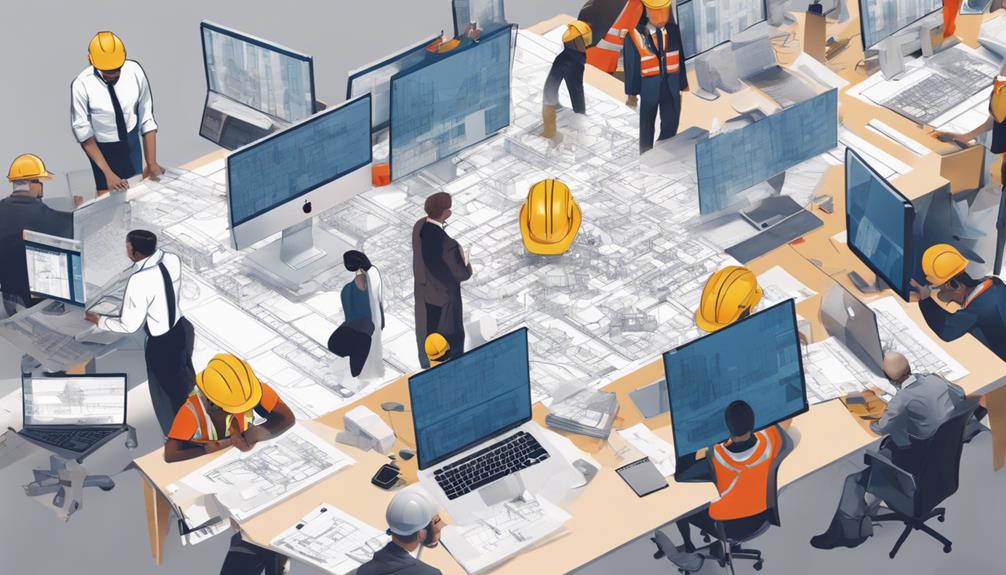
When managing commercial construction projects, you'll want to consider Procore for its comprehensive toolset that simplifies tasks, Autodesk BIM 360 which harnesses BIM to enhance decision-making, or CoConstruct, known for its intuitive interface and robust mobile support. PlanGrid is great for on-the-go collaboration with its user-friendly interface, while Buildertrend offers excellent financial tools and project management capabilities. Each of these software options offers unique features that can be matched to your specific project needs, paving the path for improved efficiency and communication. Exploring further can reveal even more about how these tools can specifically benefit your projects.

Evaluating Procore's Features

In evaluating Procore's features, you'll notice that it stands out for its comprehensive toolset tailored for managing commercial construction projects. Its interface simplifies complex tasks, ensuring you're always a few clicks away from accessing critical data or executing key functions. This seamless navigation enhances your ability to manage projects efficiently.

Procore's document management system is a core feature, allowing you to store, share, and manage all your project documents in one secure location. You'll find that its real-time collaboration tools enable all stakeholders to access the latest documents simultaneously, reducing misunderstandings and delays.

Moreover, Procore integrates well with other software, making it a versatile choice for your tech stack. Its customization capabilities mean you can tailor the platform to fit your project's specific needs, enhancing usability across various project types and sizes.

Task management within Procore is also streamlined. You can assign tasks, set deadlines, and track progress all within the software, ensuring that no detail is overlooked. This level of detail in task management helps in keeping projects on schedule and within budget, directly impacting your project's success.

Benefits of Autodesk BIM 360

Autodesk BIM 360 revolutionizes your management of construction projects by harnessing the power of Building Information Modeling (BIM). This integrated platform allows you to streamline your processes, improve decision-making, and enhance collaboration across your project teams. With real-time, cloud-based access, you're always connected to the latest project data, which is crucial for maintaining timelines and reducing costly errors.

You'll find that BIM 360's seamless integration capabilities make it easy to maintain continuity from one phase of construction to the next. It supports a range of file formats and is compatible with numerous design and construction tools, ensuring that you can work effectively with subcontractors and stakeholders who may be using different systems. This interoperability reduces the time you spend on data conversion and miscommunication.

Moreover, the risk management features inherent in BIM 360 are particularly valuable. The platform provides predictive insights and analytics that help you foresee potential issues before they become costly problems.

This proactive approach to risk management not only saves money but also safeguards your project's timeline and quality standards.

Exploring CoConstruct Usability

CoConstruct's intuitive interface simplifies the complexities of managing commercial construction projects. You'll find that its dashboard and tools are designed with you in mind, making it easier to navigate through daily tasks and extensive projects alike. The software organizes everything from scheduling to client communication in a way that feels natural and straightforward. This means less time figuring things out and more time getting work done.

One standout feature is the customization options that allow you to tailor the interface to fit your specific needs. You can set up views and reports that make sense for your workflow, ensuring that you're always seeing the most relevant information. The drag-and-drop functionalities further enhance this adaptability, giving you the ability to rearrange elements quickly without needing in-depth technical knowledge.

Furthermore, CoConstruct includes robust mobile support, so you can manage your projects on the go. Whether you're on the site or away, you've got instant access to project details, updates, and team communications. This mobile integration ensures that you stay connected and informed, no matter where you are.

CoConstruct doesn't just keep you organized; it keeps you connected, making project management a breeze.

Advantages of PlanGrid

While CoConstruct offers a range of features for managing commercial construction projects, PlanGrid brings its own set of strengths to the table, particularly when it comes to real-time collaboration and data access. You'll find that PlanGrid's interface is exceptionally user-friendly, making it easy for you and your team to stay on the same page. Its seamless integration with various file types, including PDFs and BIM models, allows for quick and accurate updates.

With PlanGrid, you're not just keeping project plans at your fingertips; you're also ensuring that all team members have instant access to revisions. This means less downtime waiting for updates and more time spent on actual construction. The tool's ability to sync data across devices in real time drastically reduces the risk of costly errors due to outdated information.

Moreover, PlanGrid features comprehensive field reports and documentation capabilities that enhance transparency and accountability. You can easily track progress with detailed reports that are automatically generated and shared among stakeholders. This not only keeps everyone informed but also simplifies compliance with industry standards and regulations.

In essence, PlanGrid empowers you to manage your construction projects more efficiently, with a particular emphasis on enhancing communication and documentation accuracy.

Overview of Buildertrend Functions

Buildertrend brings a suite of powerful tools to the table for managing commercial construction projects, streamlining every phase from pre-sale to project completion. You'll find that its comprehensive feature set addresses virtually every need you might have.

For starters, its project management capabilities are top-notch. You can track project milestones, allocate resources, and manage timelines with ease. This ensures you're always on top of your schedule and budget.

Moreover, Buildertrend excels in client communication. The platform includes client portals that allow you to share updates, progress photos, and important documents with stakeholders in real-time. This transparency builds trust and keeps everyone informed, reducing misunderstandings and delays.

You'll also appreciate the financial tools offered by Buildertrend. From budgeting to invoicing, all your financial tracking and transactions can be handled within the platform. This integration simplifies the financial management of your projects and helps prevent errors that can arise from using separate systems.

Lastly, its mobile app ensures you can manage your projects on the go. Whether you're on the job site or away, you have access to all project details at your fingertips, enabling quick decisions and continuous oversight.

Assessing the Impact of JobProgress

Shifting focus to JobProgress, it's essential to evaluate how this software impacts the efficiency and effectiveness of managing commercial construction projects. You'll find that JobProgress streamlines operations uniquely tailored for your business needs. It's designed to empower contractors by providing an all-in-one platform that manages every aspect of a project from initial client contact to final invoicing.

As you dive deeper, you'll appreciate how JobProgress supports real-time collaboration among your team. You can access updated project data from anywhere, ensuring you're always informed and responsive. This feature significantly reduces downtime and miscommunication, which are often the culprits behind project delays and budget overruns.

Moreover, JobProgress offers customizable workflows which helps you maintain consistency in your project execution. This adaptability means you can tailor the software to fit specific project requirements or client demands, enhancing your service delivery.

Conclusion

You've seen the top software picks for managing commercial construction projects. Procore streamlines operations, while Autodesk BIM 360 enhances collaboration through BIM integration. CoConstruct's user-friendly interface simplifies project management, and PlanGrid offers robust document control features. Buildertrend combines customer management with project tracking, and JobProgress tailors workflows for optimal productivity. Each platform has unique strengths, so consider your specific needs to choose the best tool to drive your project's success efficiently.

Related articles: What Is the Best Software for Commercial Construction?

Residential Painting Services

Exterior painting contractors come quite easily in Los Angeles. But finding the right one is a behemoth job, especially if you do not know what exactly you’re looking for. Commercial and residential painting companies know your needs very well, and are industry leading. Most of them have websites and business listings online that make finding them quick and easy. However, their services aren’t industry leading, and they may lack certain important services that make a big difference.

If you’re searching for a Los Angeles painting contractor, look for one with a history of building successful businesses. A Los Angeles painting contractor with no track record or a good reputation might just want your money without doing a good job for you. Look for one with a website that includes testimonials from previous clients. You should also ask to see references. Make sure the company is licensed, insured, and has a reputation for high quality work.

Exterior painters in Los Angeles usually quote a price for applying a new coat of paint to an exterior wall. The actual cost of painting typically varies, depending on the material the contractor will be using, the size of the job, and local traffic conditions. The amount the exterior contractor will charge you includes preparation and materials for the job, including labor and equipment if necessary. Contractors typically provide all necessary tools for the job, and will not charge you for these.

Commercial exterior paint contractors will generally allow you to choose whether or not to include a new coat of paint on the exterior walls of your business or home. They will apply a fresh coat of paint to the exterior of your structure to keep it looking fresh and appealing. If you want to have your business or home re-painted in a trendy design, this is an option that may be worth considering. However, you should still hire a professional for this type of job.

You may find that an exterior painting contractor in Los Angeles offers residential painting services as well. Many homeowners do not feel comfortable painting their homes themselves. In Los Angeles, there are several options for you, including hiring a skilled interior painting contractor. Some homeowners choose the easier route by hiring a residential painting contractor. These types of firms may charge a lower price than other options, but they typically offer a faster project and better quality. It will take a residential painting contractor around two to four weeks to complete the job of a qualified in-house painter.

Exterior painting contractors in Los Angeles are trained in many different types of paints, and they have access to the latest paint supplies. They are familiar with the techniques and products that can protect the surfaces on which they work. The exterior of your home is a reflection of how you value the exterior of your property. When you are choosing a painting contractor, make sure that you work with someone who is willing to listen to your concerns and ideas. When you get a free estimate, be sure to ask for samples of past work.

Most contractors in Los Angeles will offer an estimate for your exterior painting project using a latex paint. There are also a number of exterior painting contractors in Los Angeles who use exterior vinyl coating as a painting option. Exterior painting contractors in Los Angeles will typically work on projects on your home’s exterior using a water based acrylic paint. These paints are available at most hardware stores and come in multiple colors. Some Los Angeles painting contractors will even use a primer before applying the exterior vinyl coating.

There are many advantages to hiring a Los Angeles residential painting contractor. Hiring interior painters is a good way to save money, since the commercial price of painting supplies is much higher than that of residential painters. If you hire a contractor to paint your home, you should have a contract that outlines the price and any guarantees you may receive. Make sure to ask for a sample of the exterior paint so that you can see what your painted surfaces will look like before you actually purchase the product. Residential painters will generally be more affordable than professional commercial painters.

Related articles: Clifton Construction: Leading Commercial and Industrial Construction in Albany, NY

What Should I use a General Contractor for?

A general contractor is a professional that takes on large projects. If you are in need of some construction work done for your business or residence, then you may want to consider hiring a general contractor as an alternative to hiring a project manager or a construction supervisor. A general contractor, usually main contractor or subcontractor, is in charge of the day-to day supervision of a construction site, especially management of trades and vendors, and all other involved parties all through the course of the construction project. These kinds of contractors usually have many years of experience and are highly qualified to do any kind of construction project.

There are many benefits in hiring a general contractor. For one, you will not have to worry about hiring supervisors to supervise your progress on the job. A general contractor will take care of all the supervision and give you feedback regarding your work on a periodic basis. This will help you keep up with the expectations of the owner. You will also save a lot of money, time and effort in manning the construction site.

The advantages in hiring a general contractor extend beyond cost savings and time management. General contractors have experience in handling different kinds of construction projects like remodeling, roofing, block building, paving, etc., and they are familiar with the intricacies involved in all these kinds of projects. General contractors are also familiar with the subcontractors typically working on a given project so you can eliminate any confusion on who should be paid for what job.

In addition to having many years of experience, general contractors have many years of subcontractor experience as well. General contractors will have several subcontractors that they use for different kinds of projects. For example, there may be several contractors doing the roofing work on the construction of the house. However, there may only be one general contractor doing the block building on the house. Subcontractors typically work on the same type of job, usually with the same company or brand, but do not have to worry about job pricing differences because they normally get their job costs lowered by the general contractor.

When hiring a general contractor, there are several things you need to consider. One is the amount of experience they have. Experience is always a plus for any general contractor but the more experience a general contractor has, the better. A general contractor’s biggest strength is their experience in the construction field, however they can never be considered an expert in every possible construction situation. This is why it is necessary for you to determine what kind of experience your construction needs are so you will be able to hire the best general contractors to complete the job.

Next you need to make sure that you know who will be performing the job. If you are planning to build a new house, it would be wise to hire general contractors Kansas City has many great ones to choose from to help you on your way. from the start. New construction companies may have general contractors on staff but they usually hire subcontractors from other companies once they have started construction. Once the construction is completed, the contractors and subcontractors often leave the company, taking their services with them. Hiring an experienced construction company will give you the assurance that you hired experienced individuals who are qualified to finish your project.

Before you go out looking for a general contractor for custom homes, it is also beneficial for you to know how contractors in general do their job. Most contractors begin by sending their general workers to the location of the job site. Once at the site, the workers identify the problem areas and prepare a detailed plan on how they will fix it. Afterward, the general contractor will visit the areas and inspect to see if the problem has been fixed correctly. The general contractor then completes the job based on his estimate.

Once the general contractor finishes the job, he will inform the subcontractor. The contractor will pay the subcontractor for his work. The subcontractor will in turn pay the general contractor a portion of the final bill which is called the subcontractor fee. If the general contractor wants to complete several projects at the same time, he can use several subcontractors.

Related articles: Residential Painting Services

Typical Tools of a Concrete Contractor

If you’re a seasoned professional looking for a way to add that something extra to your job that normally just requires a hammer and some nails, consider starting with the concrete contractor tools. This list will discuss a few of the main concrete contractor tools that you may find useful while working on any kind of concrete job. Specialty concrete contractors usually employ a wide variety of hand tools in order to get even quick work done of any project, whether the job is a sidewalk, a curbside, a patio or even a full concrete slab. Ask any professional concrete contractor about essential concrete contractor tools and chances are you’ll be getting a wide range of answers ranging from an ordinary pocket calculator to an ancient wooden hand float, from graphite shakers to heavy duty concrete wedges and from concrete polishes to concrete sealers. You may also hear them talk about saws and chisels.

While concrete is widely recognized as one of the most common materials used by Americans for home construction, it can be a very difficult substance to work with and can be especially challenging to shape. For this reason, many homeowners choose to outsource concrete work to experienced concrete contractors. However, anyone who has attempted to work with concrete on their own may appreciate the importance of purchasing concrete contractor tools before even beginning. After all, having the right tools can make the whole process go much more smoothly.

One of the most important concrete contractor tools is the concrete spade. These hand operated machines are designed not only to help dig up and break up the ground, but to scoop out and move material. A concrete shovel, on the other hand, is designed to be used primarily for digging. While these two machines can certainly be used to perform numerous other tasks associated with laying concrete, the concrete Spade is the one everyone uses.

Another type of concrete contractor tools that every contractor needs in their garage or basement are concrete knives, we spoke with a crew over at San Jose Concrete Contractor to get some other on the job insights. While concrete knives can be used to cut and saw into concrete, they are primarily designed for sawing small holes. If you are going to be laying larger amounts of concrete, a concrete bender is a must have tool. While it may seem like a simple tool, a concrete bender is actually quite versatile because it can be adjusted to handle different sizes of concrete at once.

The final set of tools for concrete contractors that almost all concrete contractors need is a pry bar. This tool, while not particularly impressive on its own, is one of the most useful concrete contractor tools you could own. A pry bar is primarily used for getting into small areas that may be unreachable with other tools. For example, if you want to get into an old house that may be flooded, the pry bar is your best bet. It is also great for unearthing old electrical wiring, pipe insulation and the like.

There are a lot of different kinds of concrete contractors pry bars. Each specific style has its own unique function. Most people think of them as stainless steel bar or rough metal, but there are many variations that you can choose from. These pry bars however come in two different sizes. One is narrow and narrower and the other is wider and longer. Most people prefer the narrow style as it fits better with the concrete surface, but some contractors have started using the wide style so that they can use it for any concrete project at hand.

As you can see, there are many different tools available for concrete contractors to use. While most of these tools are common among concrete contractors, there are still some that you would want to get especially if you are just starting out in this industry. For example, a concrete saw is the main tool of choice. It is important that the saw that you will buy can cut through concrete easily and it should be strong enough to cut through concrete in one solid motion. With a concrete pry bar in hand, you won’t have any problems cutting through concrete with ease.

You can find a pry bar that can handle different concrete sizes. You can pick out the pry bar that suits your needs best. If you want something that is compact and very lightweight, then you should get the plastic type of pry bar. If you want something that is more durable and sturdy, then go for the stainless steel pry bar.

Related articles: What Should I use a General Contractor for?

How Property Construction Management Software Can Help You

How Property Construction Management Software Can Help You

Property construction management software for Property contractors fulfills the demands that they need to run their construction business. Property service providers who are involved in building houses or multi-unit housing structures, though share many of the needs of the commercial builder, often differ due to the size of the structure and the multi-purpose needs of these structures. So to get a complete solution to these issues you can rely on the Property construction management system.

It is very usual that as a builder on a construction site you face several challenges every day. Eliminating those challenges a Property construction management brings your job within your hand. This software enables you to manage all the fields that are related to construction management such as construction estimate, construction bidding, construction accounting, document management, order change, and much more.

You can also modify any costs and add as many new unit cost items as you need. When you make a cost estimate, you can use its unit costs option which calculates prices from the “sticks and bricks” to any larger components. Assemblies option offer material costs and labor costs that is usable in construction projects.

You can also build “standard” projects by setting up templates which you can for any future construction estimate. Once you have created an estimate, you will get interactive, polished reports to display and present your estimates professionally. You will also get a proposed schedule and a client questionnaire automatically generated to carry out each task.

For every bid that you get from suppliers or subcontractors, you can easily log in using this software. Recording client approvals to eliminate future “I don’t remember” discrepancies certainly eliminate many unnecessary tasks. You can also save time by granting your clients access online is possible with this software.

Reports on Transactions help keep track of your progress based on your current budget and you will always know where you are with your budget.

To face the challenge of coordinating and documenting change orders, property construction management software is the right tool to record change orders and document for each change that will remove confusion and keep your project on schedule and budget.

Apart from it, this software will guide you in many ways such as easy communication with the customers, co-coordinating with your subcontractors and suppliers, recording each subcontractor’s bidding history, viewing and printing important documents, and much more.

So plan your construction-related works, save time, and get organized with Property construction management software.
Plan your jobs better, save time, and get organized the easy way.

Related articles: Typical Tools of a Concrete Contractor